WanderWay WanderWayPress kit Download on the App Store ↗

For press

WanderWay press kit:
The places you’d normally drive past.

WanderWay is an iPhone, iPad and CarPlay road trip app. Put in where you are going and it finds parks, historic sites, covered bridges, waterfalls and more along your route, then works the stops you pick into turn by turn navigation. It is built by one developer in Ohio.

Version 2.6 is the current App Store release, dated November 9, 2026. It adds Kids Mode, Family Drives, restroom stops on long drives, natural English voices, and Download an Area.

The story

Built for the drive between Florida and Ohio.

Derek Boyer and his wife Jordan make a lot of long drives between Florida and Ohio with their three kids, ages 2, 7 and 10. On those drives they kept needing somewhere to stop. Not a gas station, an actual place where the kids could get out and run around.

They don’t often drive backroads, so finding a park near the next exit while on the interstate usually meant one of them digging through a map while the other drove. Jordan kept saying there should be an app that shows you the good stuff along your route. Derek, a solo developer in Ohio, built it.

“I didn’t want another subscription in anyone’s life,” Derek says. “Most of the ideas come from people who use it. Someone asks for something, and if it makes sense for the app, I add it.”

At a glance

Fact sheet

App
WanderWay
Developer
Derek Boyer, solo developer, Ohio
Platform
iPhone, iPad, and CarPlay; Apple Watch next-turn view
Current version
2.6, released November 9, 2026. Version 2.5.1 was released November 6, 2026.
Downloads
2,000+ first-time downloads, as of November 2026
Price
Free download with a free trial of every feature, then a one-time purchase (WanderWay Unlock)
Business model
No subscription, no ads, and no account. The US App Store privacy label lists Data Linked to You (Email Address, Customer Support, Other Diagnostic Data, Precise Location and Coarse Location, all from Send Feedback) and Data Not Linked to You (Other User Content), all for App Functionality, Customer Support also for Analytics (reading feedback to improve the app), and none for tracking.
Maps
Apple Maps (MapKit)
Languages
English, French, German, Hindi, Spanish, Italian, Portuguese, Dutch, Polish, Swedish, Ukrainian (eleven)
Languages added in 2.2
Portuguese, Dutch, Polish, Swedish, Ukrainian
App Store
apps.apple.com/us/app/wanderway-navigation/id6807600062
Website
wanderwayapp.com
Press contact
[email protected]

What it does

  • Finds parks, historic sites, covered bridges, waterfalls and more along your route.
  • Turn by turn navigation on iPhone and CarPlay, using Apple Maps.
  • Add a Stop works a place into your route while you drive.
  • Audio stories about places as you pass them.
  • A trip journal and a passport that collects stamps for places you visit.
  • Offline downloads for when the signal drops, now with each place’s story.
  • Curated Routes for a good drive when you don’t have a destination in mind.
  • Kids Mode, new in 2.6, for places kids love and Family Drives with a restroom break on longer drives.

New in 2.6

Current App Store version, November 9, 2026. WanderWay 2.6 makes room for the whole family.

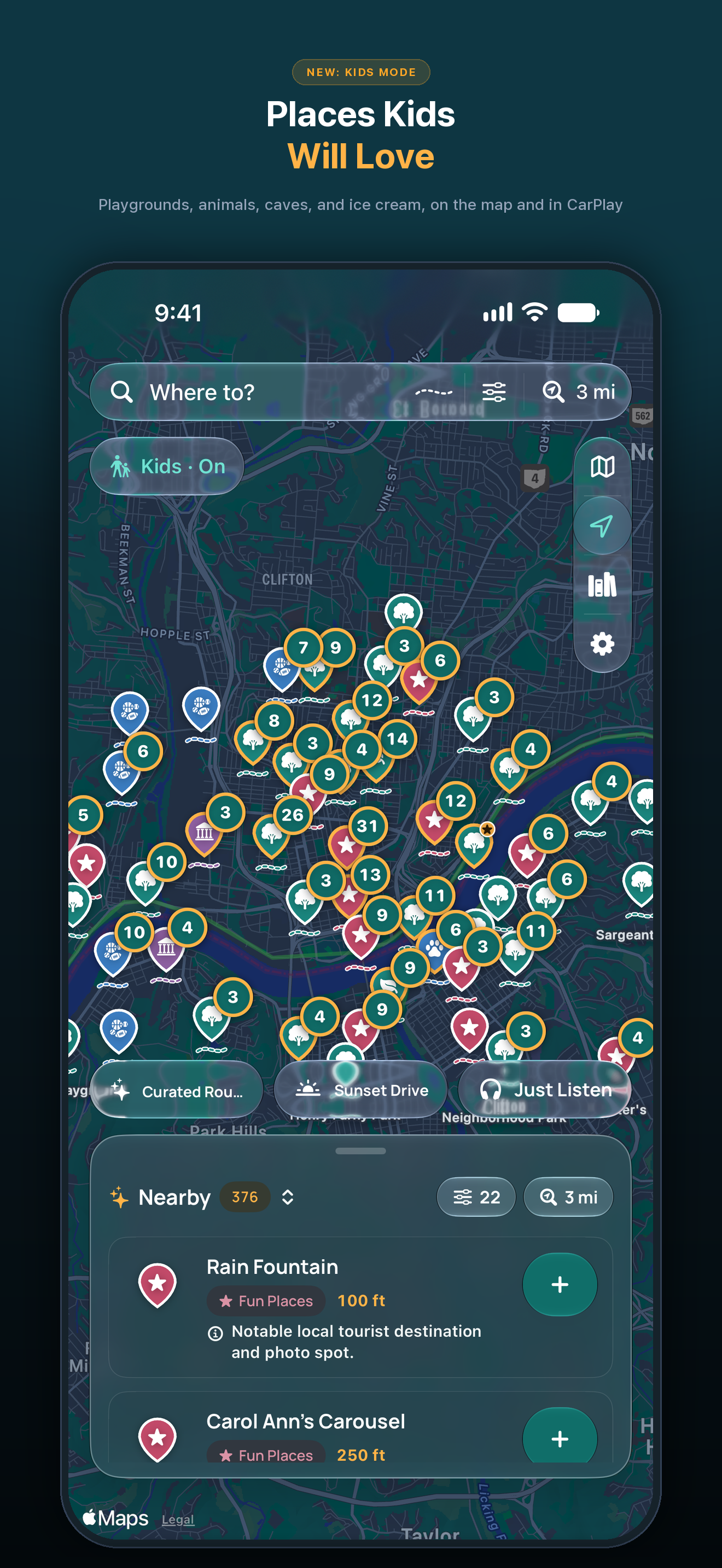
  • Kids Mode: Tap Kids on the map, or turn on Kids Mode in Settings, and WanderWay shows the places kids love, like playgrounds, animals, splash pads, caves, trains and ice cream, and hides grown-up ones like memorials, cemeteries and military history. Stories get short and simple, with a fun fact, and can end with a question for the kids. CarPlay’s lists and map follow along. Kids Mode is part of WanderWay Unlock.
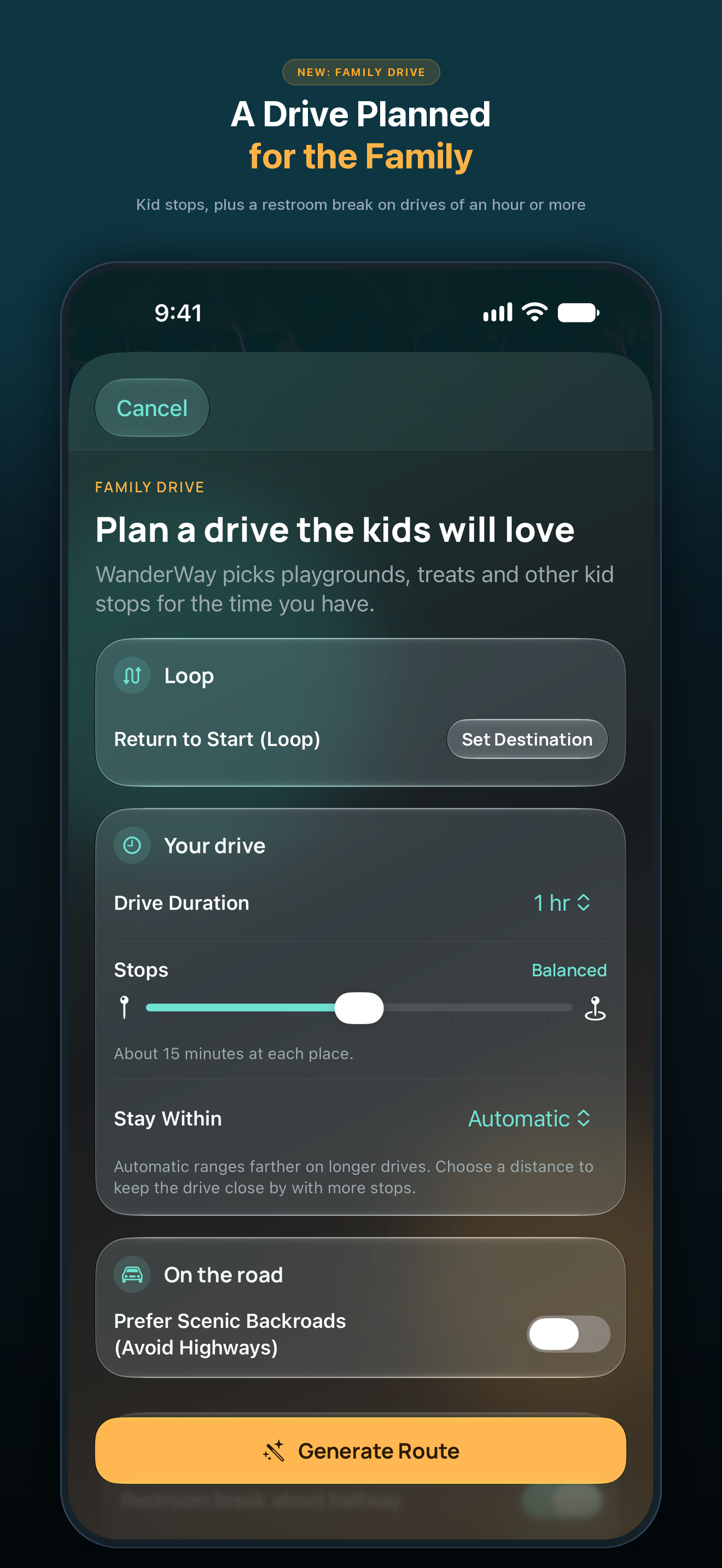
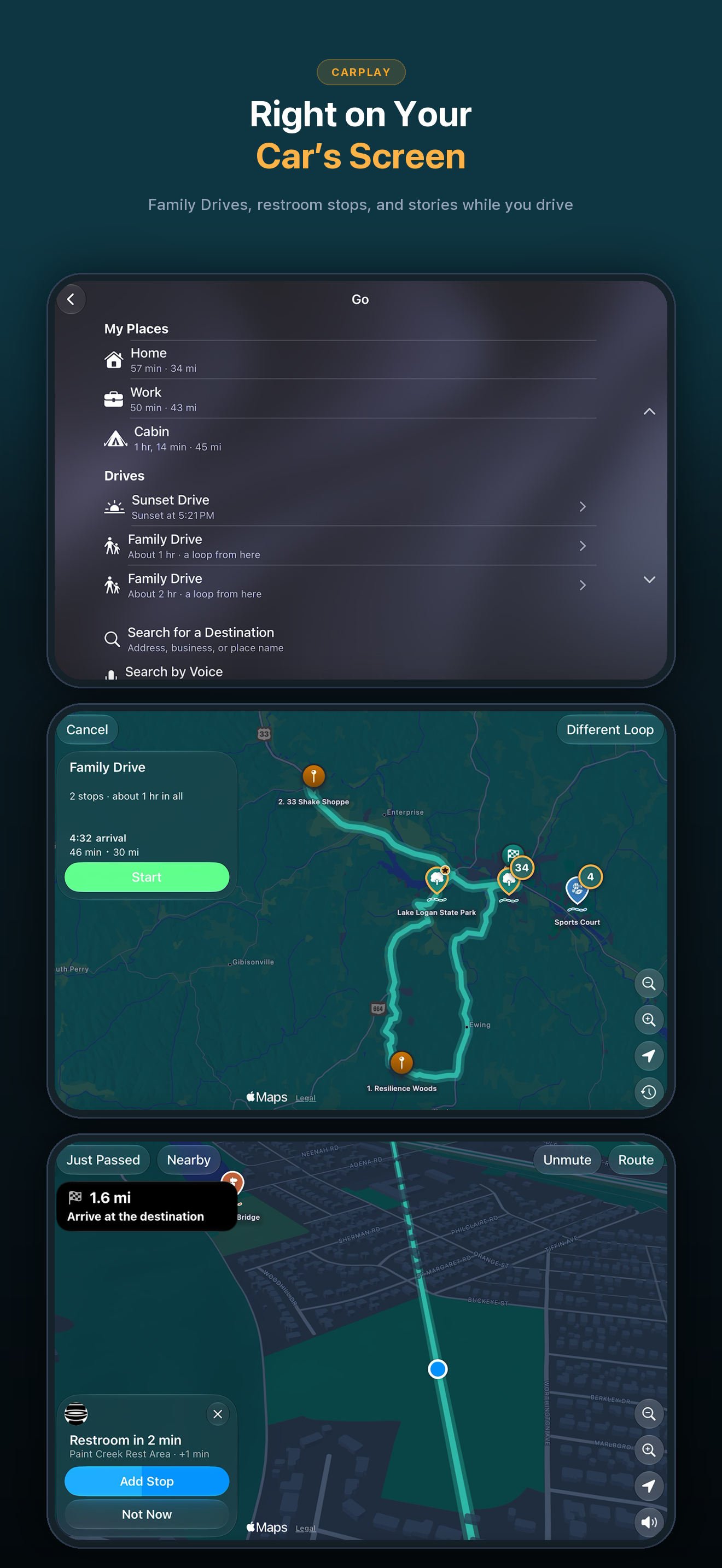
  • Family Drive: With Kids Mode on, Curated Routes plans a Family Drive, a loop or a drive to a destination with playgrounds, ice cream and other kid stops, one of each kind. Drives of an hour or more get a restroom break about halfway, at a stop that has one or as a stop of its own. In CarPlay, the Curated Drives under Go become Family Drives.
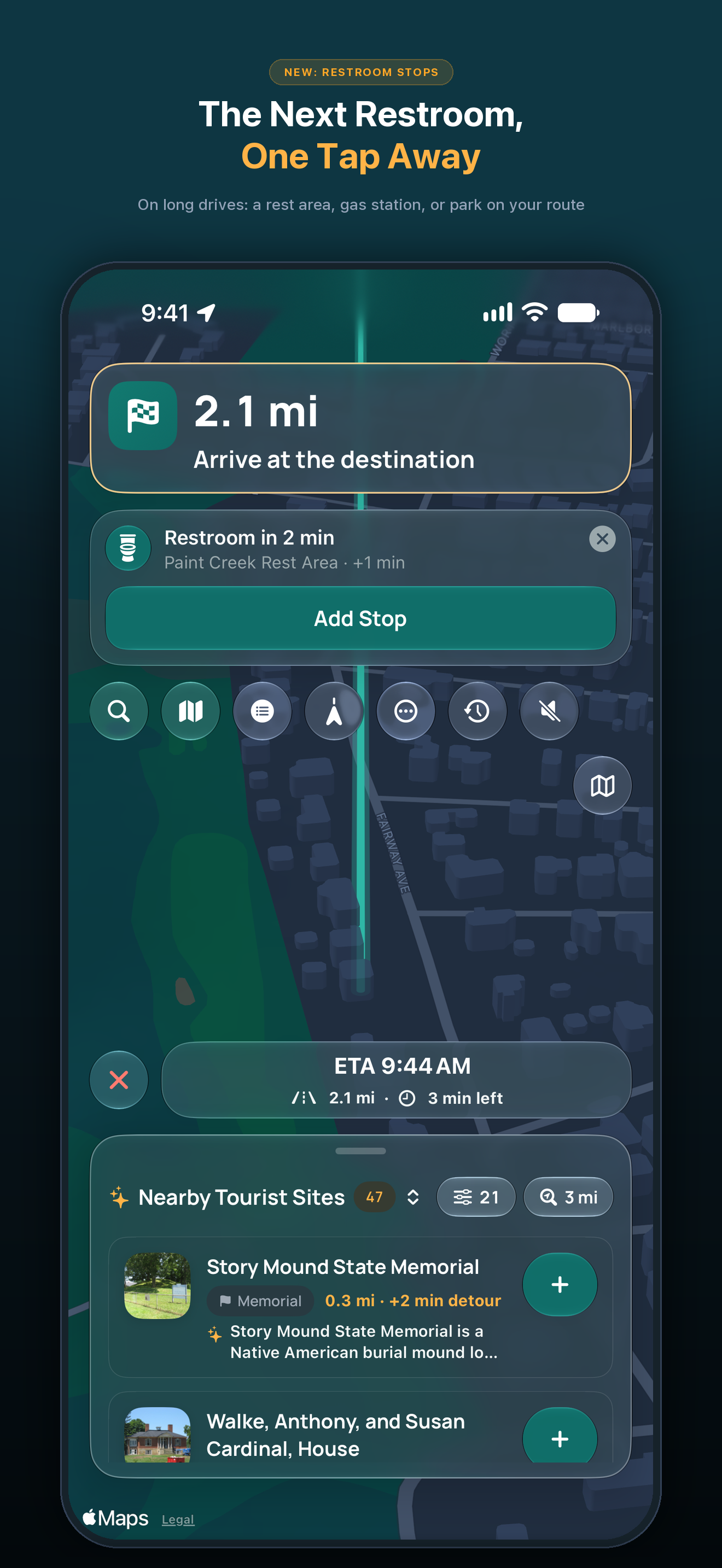
  • Restroom stops on long drives: After about 90 minutes of driving, WanderWay offers the next restroom along your route, at a rest area, gas station or park, as a stop you add with one tap, in CarPlay or while WanderWay is on screen. It waits for a quiet moment, never over a turn, and asks at most once an hour. It’s on in Kids Mode, and Suggest Restroom Stops in Settings turns it on for every drive.
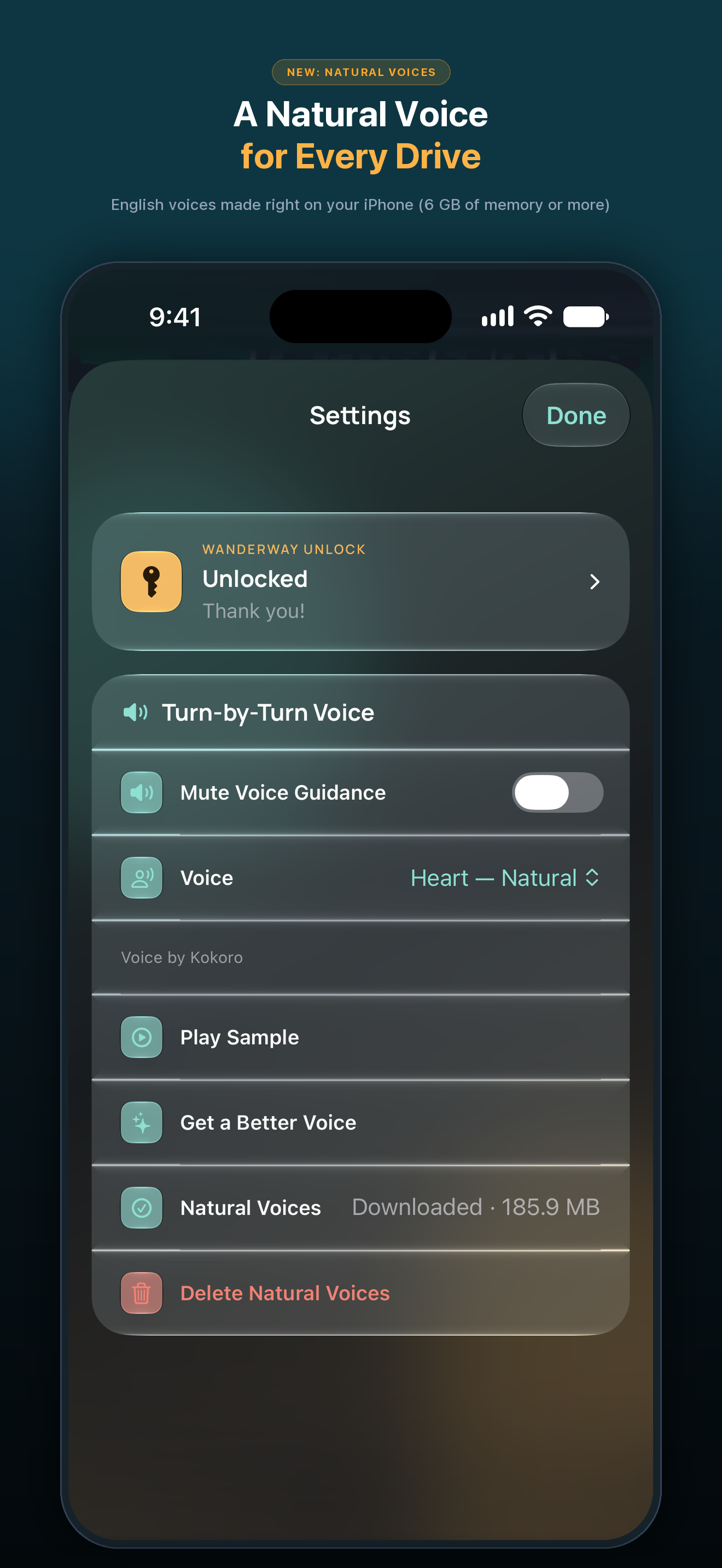
  • Natural voices: In English, WanderWay can now speak in natural voices made right on your iPhone. They download once over Wi-Fi, about 186 MB, and Automatic uses one when they’re ready. Pick another in Settings and tap Play Sample to hear it. Settings shows the space they take, with Delete Natural Voices to free it. They need an iPhone with 6 GB of memory or more. If your iPhone gets hot on a drive, WanderWay says so once and finishes the drive in your iPhone voice.
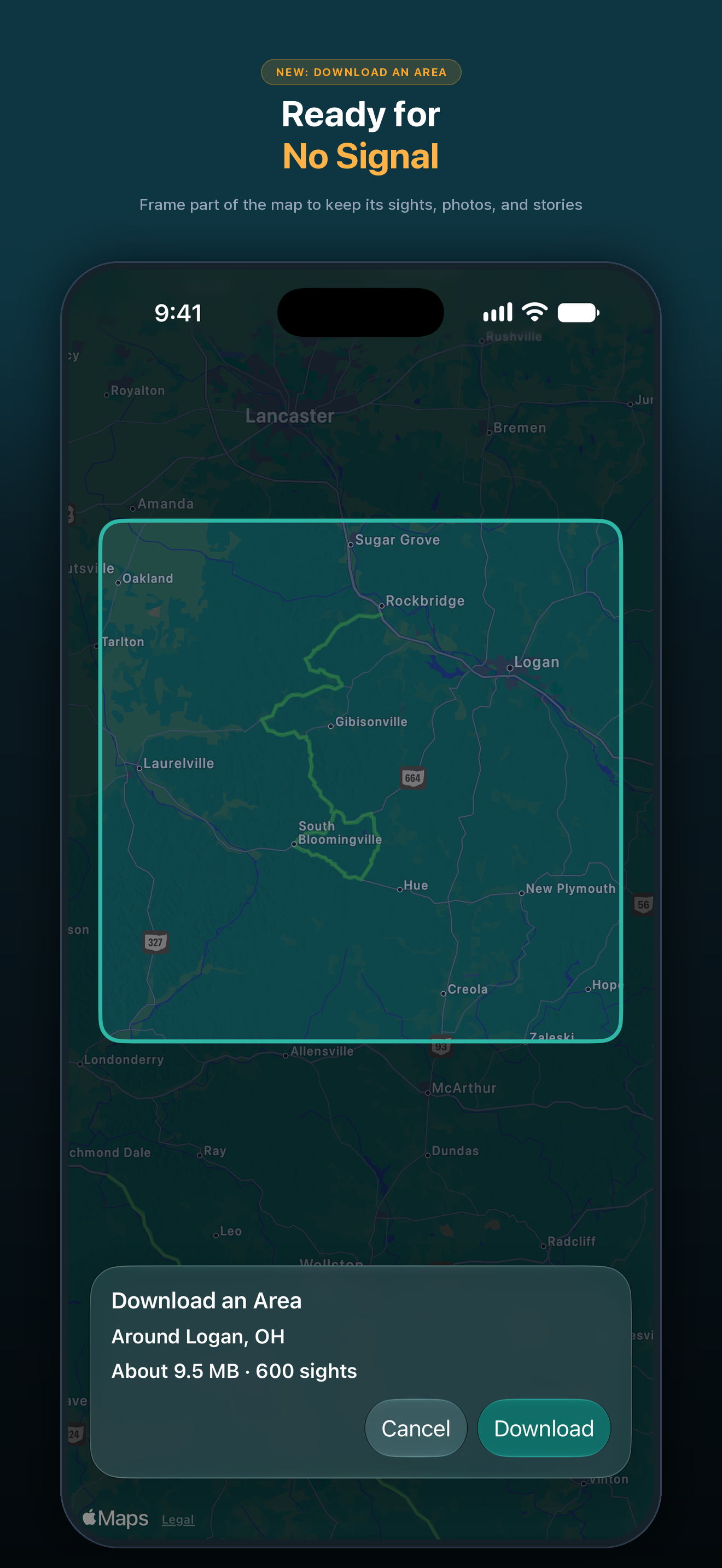
  • Download an Area: In Settings, tap Download an Area and frame part of the map to keep its sights, descriptions, photos and stories for when there’s no signal. On cellular data, WanderWay shows the size first, with or without photos. Settings › Downloads lists every route, trip and area download with its size. The map itself and new routes still need a connection. Offline downloads are part of WanderWay Unlock.
  • Different Loop: Not quite the loop you wanted? Tap Different Loop for other stops, the other way round, in CarPlay too. Curated Routes now favors places you haven’t been to yet.
  • Right to the place: Shared drives, and places you save to My Places from search, now route to the place itself, like its parking lot, instead of the nearest street address.
  • Mute on the map: During guidance, and while WanderWay narrates a drive without a route, Mute Voice Guidance has its own button on the map, so one tap mutes or unmutes the voice. Settings always keeps its gear.
  • Time and distance in CarPlay: CarPlay’s trip previews now show the drive’s time and distance before you start, and when there’s a fastest and a scenic route, each one’s own.
  • Fixes: Turn-by-turn no longer jumps to the next turn early at sharp turns, U-turns and out-and-back stops, on your iPhone and in CarPlay. Natural voices say every distance, like “in 1.5 miles”. The route line no longer shows gaps during guidance.

New in 2.5

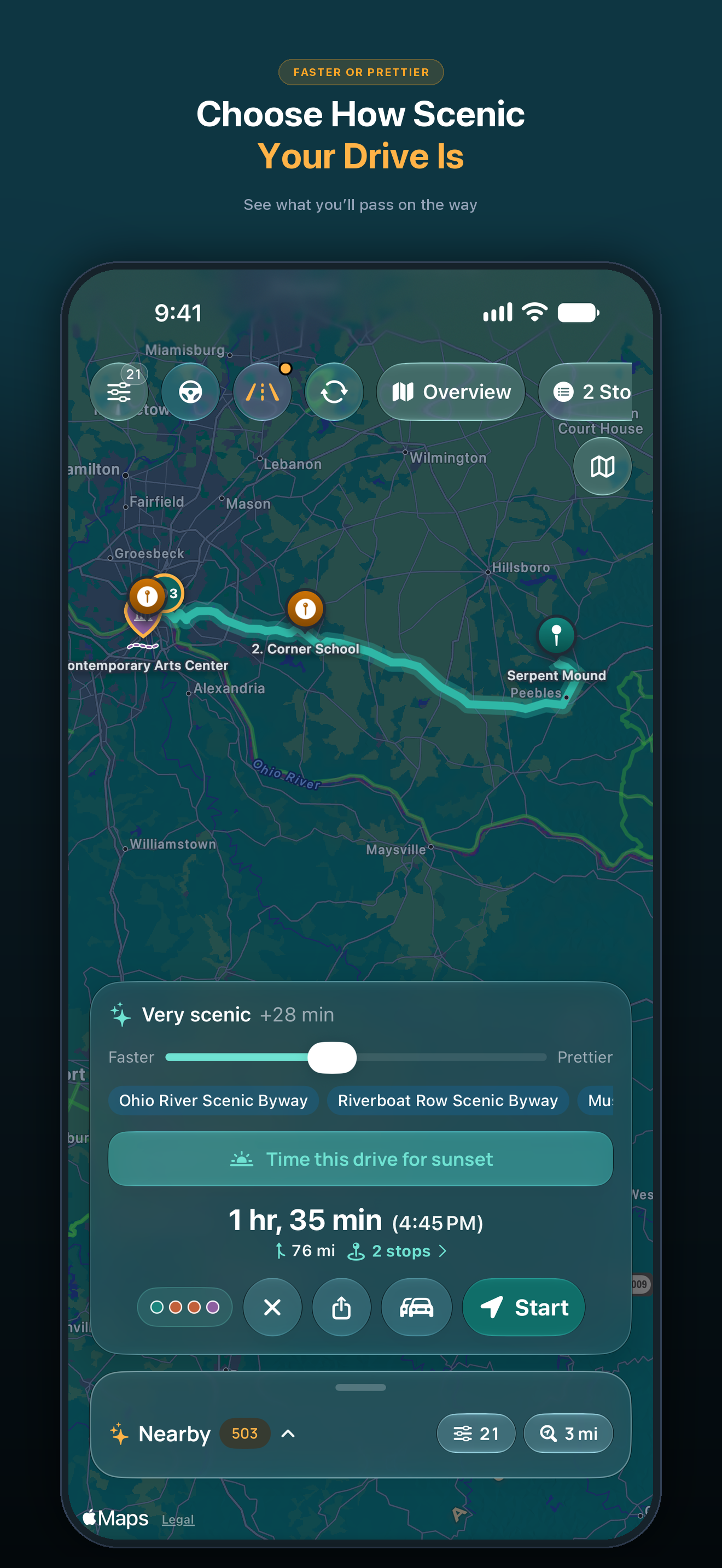
  • Faster or Prettier: A new slider on the route card goes from the fastest route to one up to twice as long, at most 4 extra hours. Scenic adds up to a quarter more time for sights along the way and is free. Very scenic and Most scenic add more time and take backroads instead of highways. They're part of WanderWay Unlock.
  • See What You'll Pass: Under the slider, the kinds of sights your route stops at and the byways it follows, such as a viewpoint, a covered bridge or a waterfall.
  • Drive Together: Driving with friends in another car? Tap Drive Together on the route card and send them the link or QR code. Up to 6 cars see each other on the map, and when you change the route, they can follow it. Starting is part of WanderWay Unlock. Joining is free.
  • Just Listen, No Destination: Tap Just Listen above Nearby and WanderWay tells the story of each place as you reach it, with no destination and no route. Tap Stop Listening to end it. Part of WanderWay Unlock.
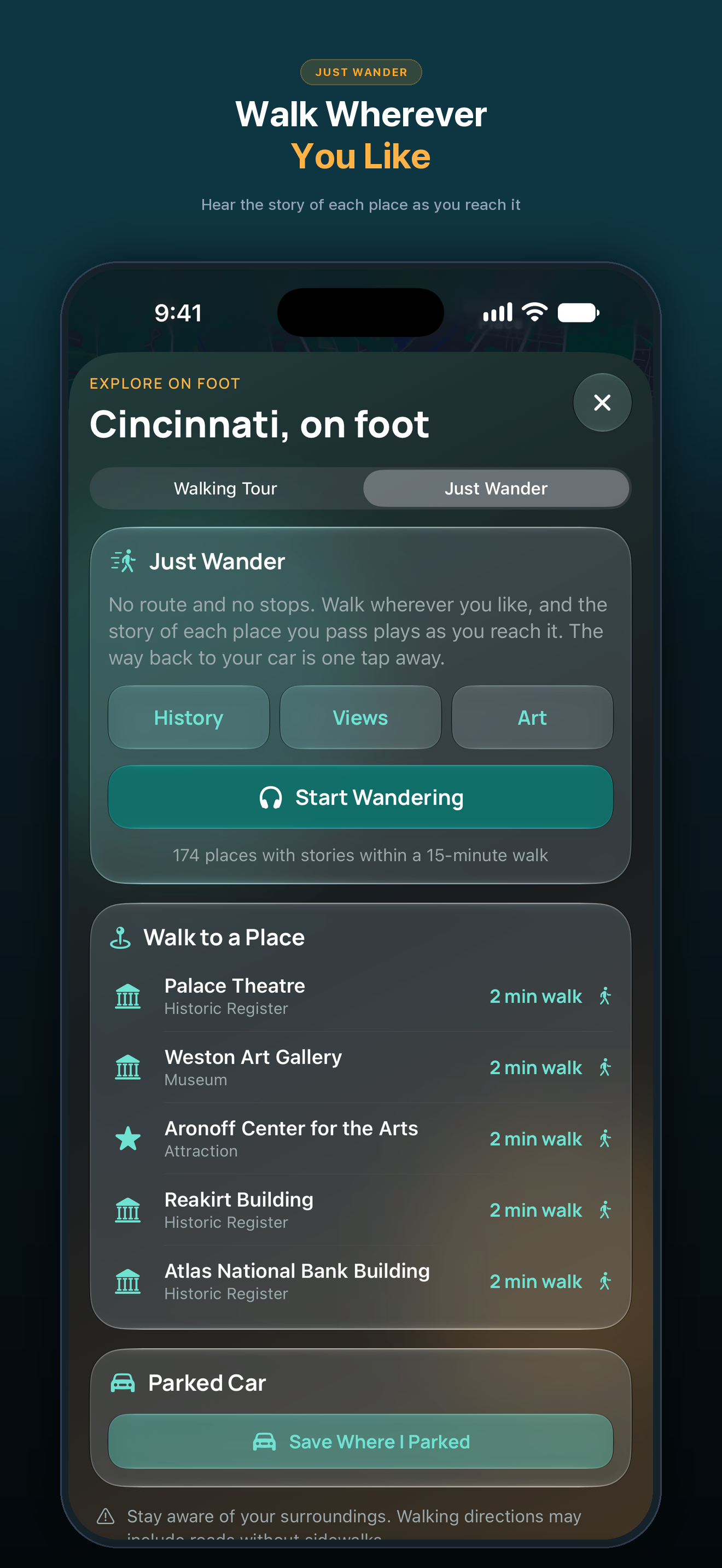
  • Just Wander: Walk wherever you like, with no route and no stops, and hear the story of each place as you reach it. The way back to your car is one tap away.
  • Town Guide on Walks: On a walk, read the town's travel guide from Wikivoyage: what to see, what to do and how to get around.
  • Better Walking Tours: The walking card turns with you and shows how far the next stop is. At the end, see which stops you heard and skipped, and find your walks in Journal and Passport.
  • Just Listen in CarPlay: Start Just Listen right from the CarPlay map.
  • Scenic in CarPlay: The trip preview in CarPlay now offers Scenic beside the fastest route.
  • Stays Scenic: If you go off route, WanderWay keeps your scenic stops and backroads.
  • Stories Offline: An offline download now keeps each place's story too, so you still hear them without signal. Each download shows how many stories it has and how much space it uses. Offline downloads are part of WanderWay Unlock.

Downloads

Screenshots and icon

WanderWay 2.6 App Store screenshots. Select an image to download the full-size PNG (1320 × 2868).
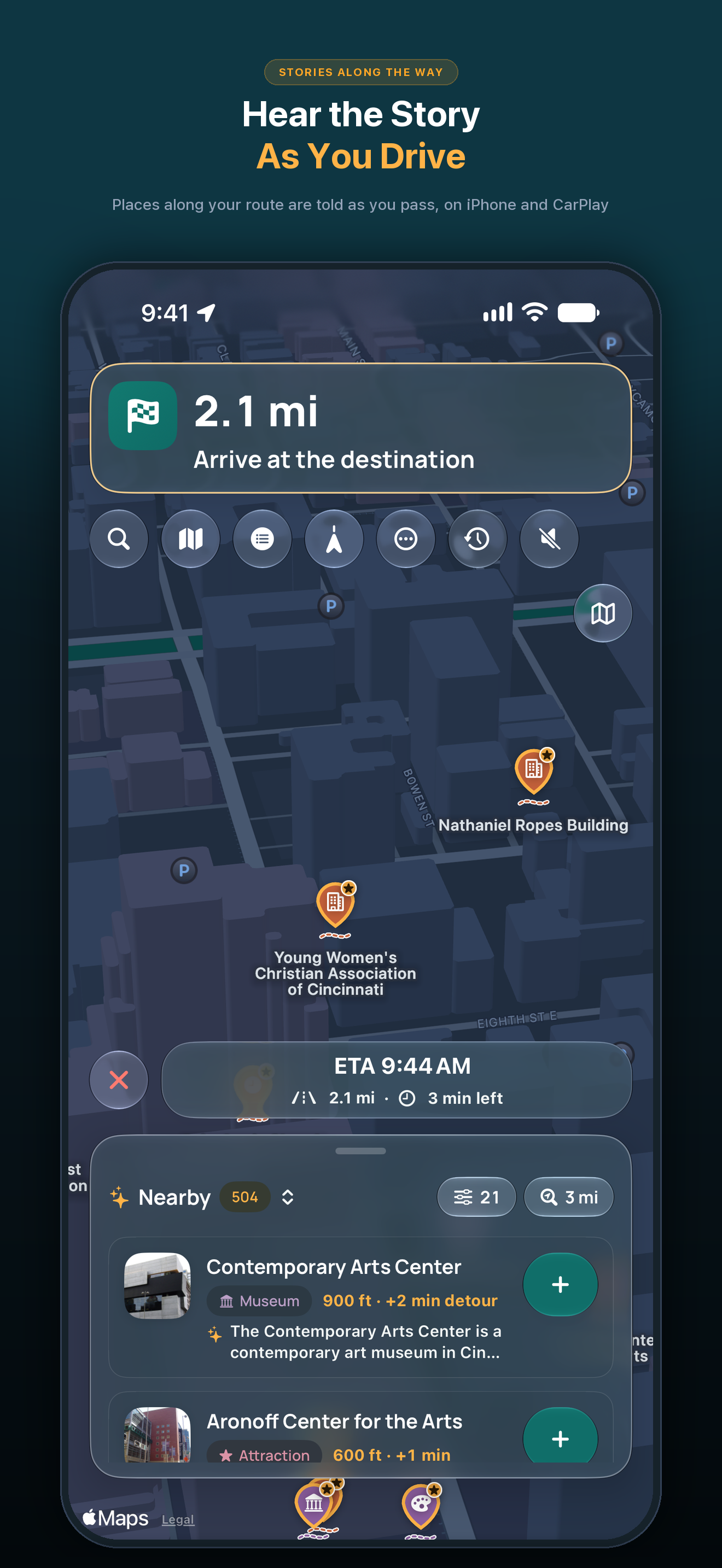
Hear the Story As You Drive
Places Kids Will Love
A Drive Planned for the Family
The Next Restroom, One Tap Away
Right on Your Car’s Screen
Choose How Scenic Your Drive Is
Ready for No Signal
Ready for No Signal
A Natural Voice for Every Drive
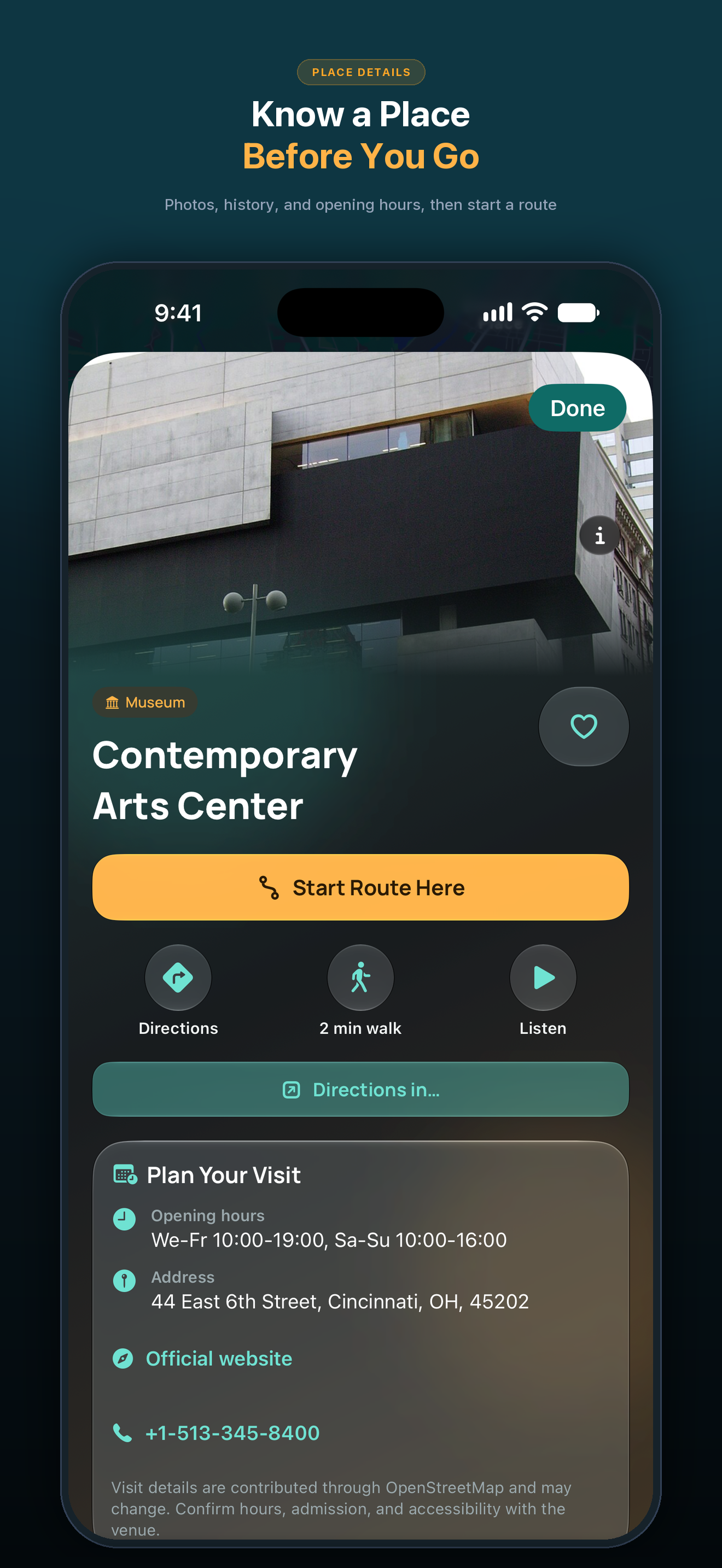
Know a Place Before You Go
Walk Wherever You Like

Map content and place imagery keep their original attributions. Please keep visible source credits when using screenshots.

Downloads

CarPlay, iPad and Apple Watch

From the live WanderWay 2.2 App Store pages. Select an image to download the full-size PNG.
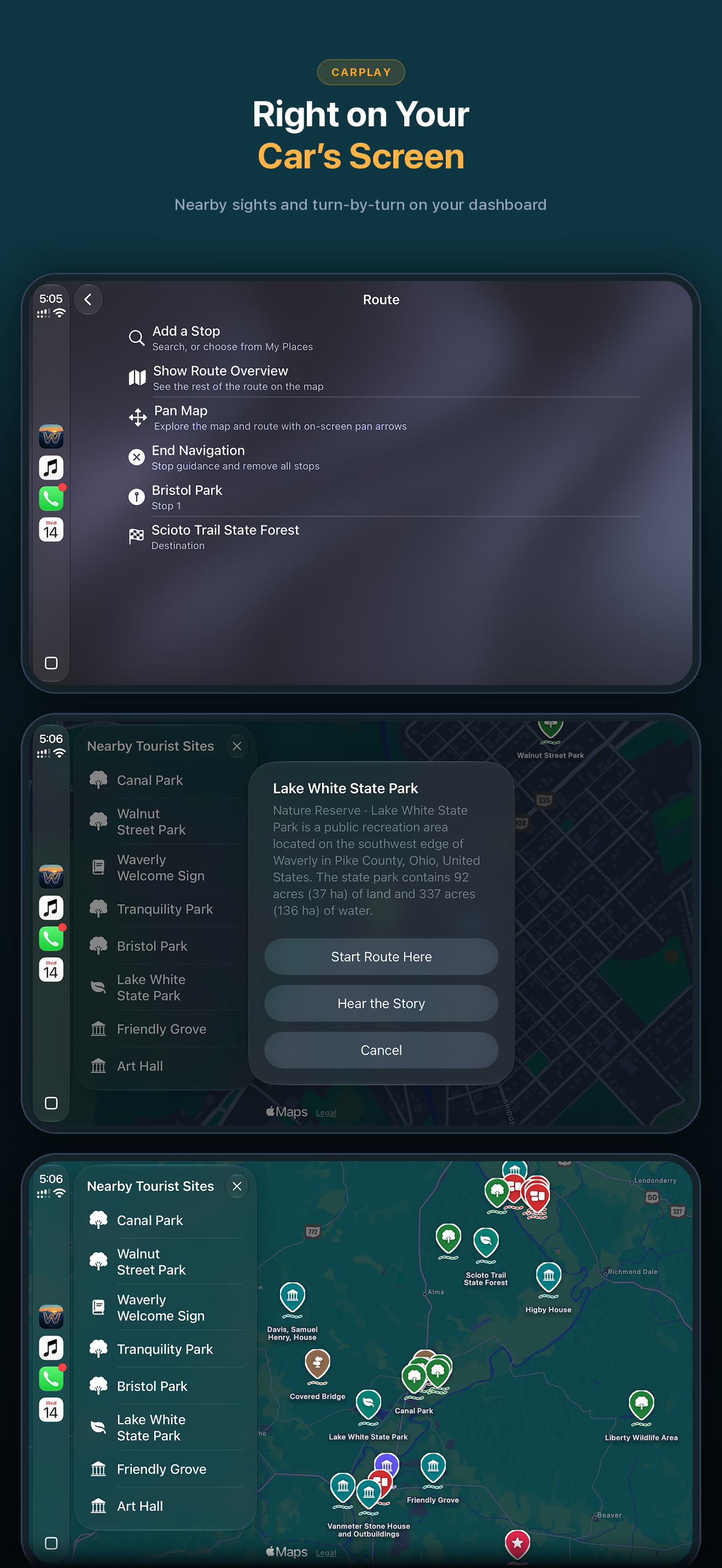
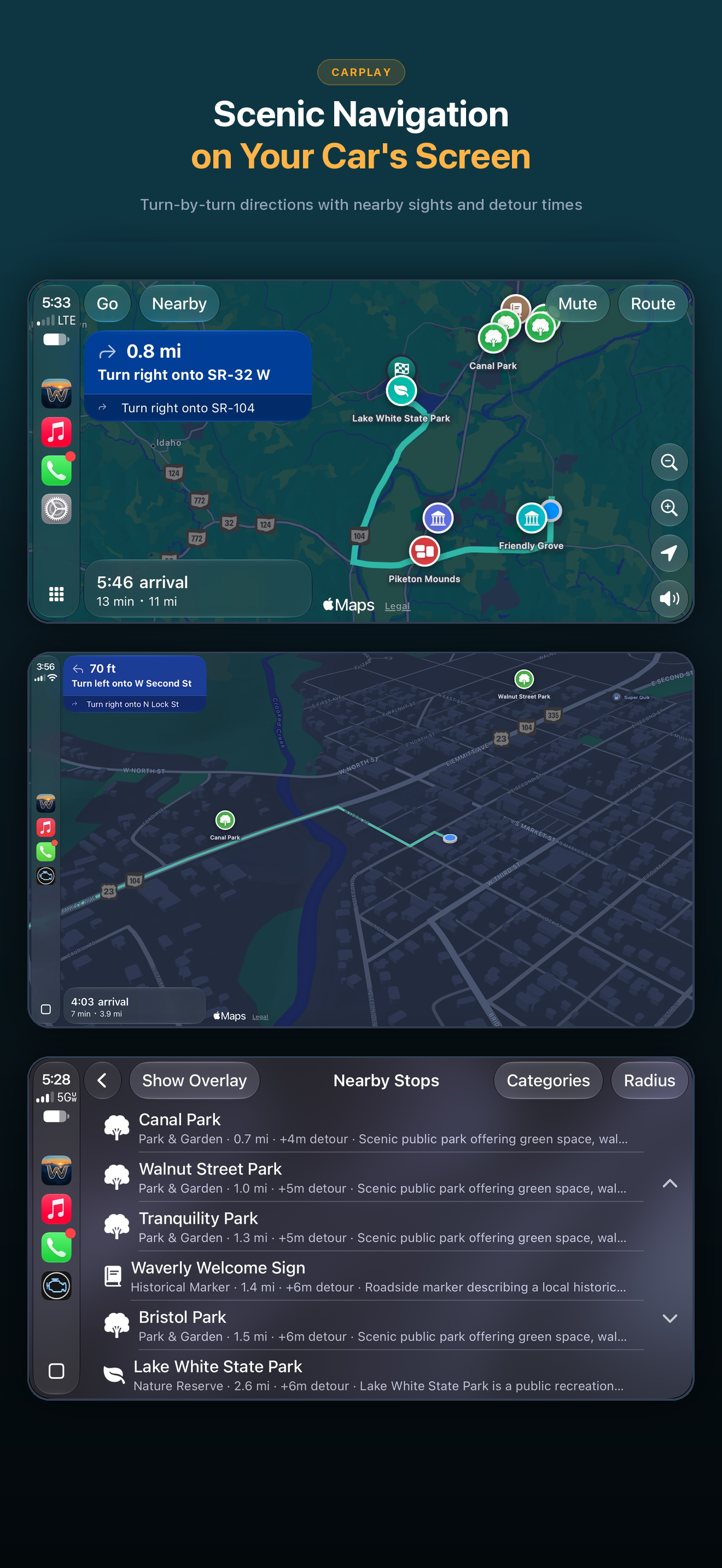
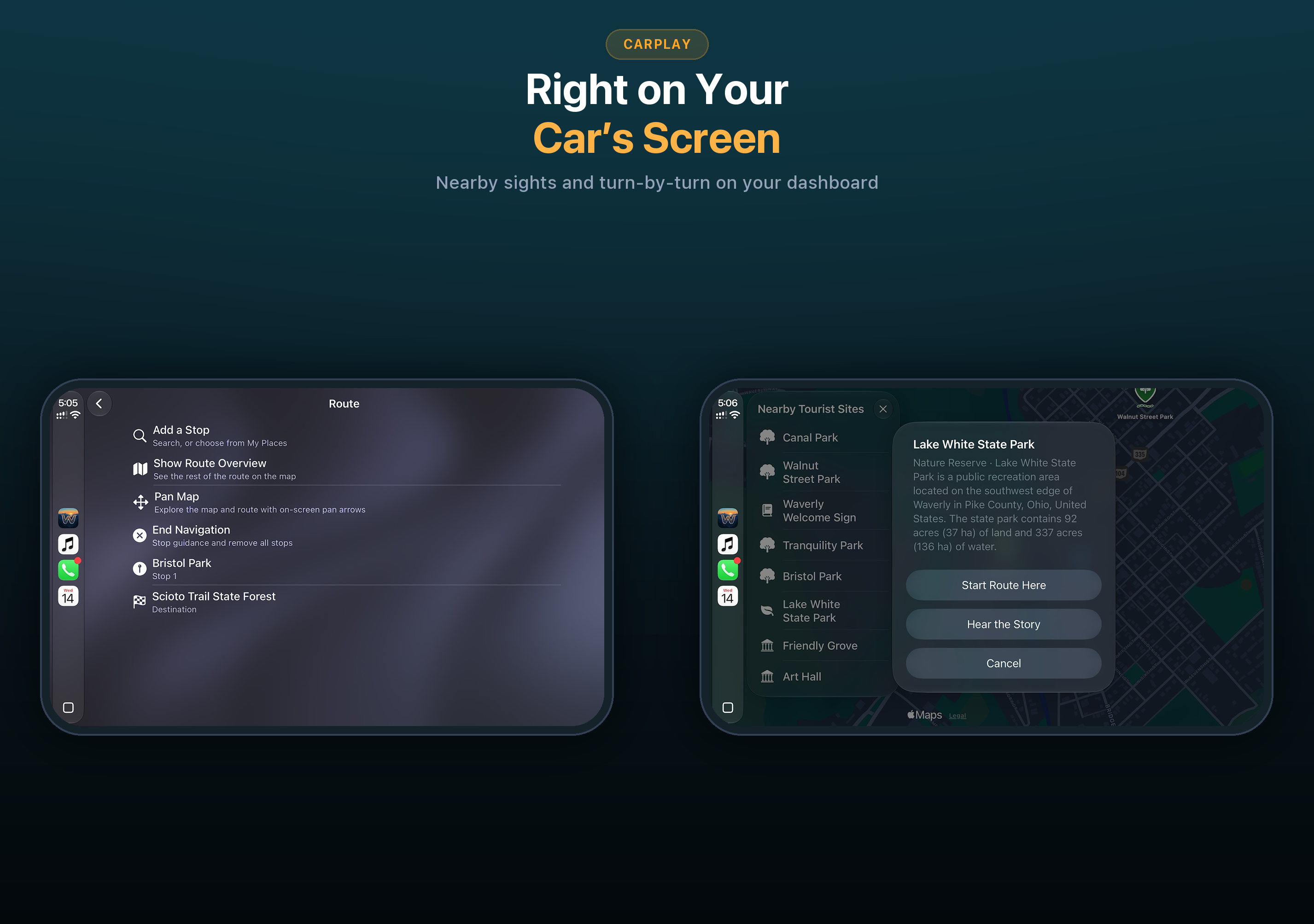
WanderWay on a CarPlay screen: route list, place card and nearby tourist sites
CarPlay: right on your car’s screen
WanderWay turn by turn navigation and nearby stops on CarPlay
CarPlay: scenic navigation
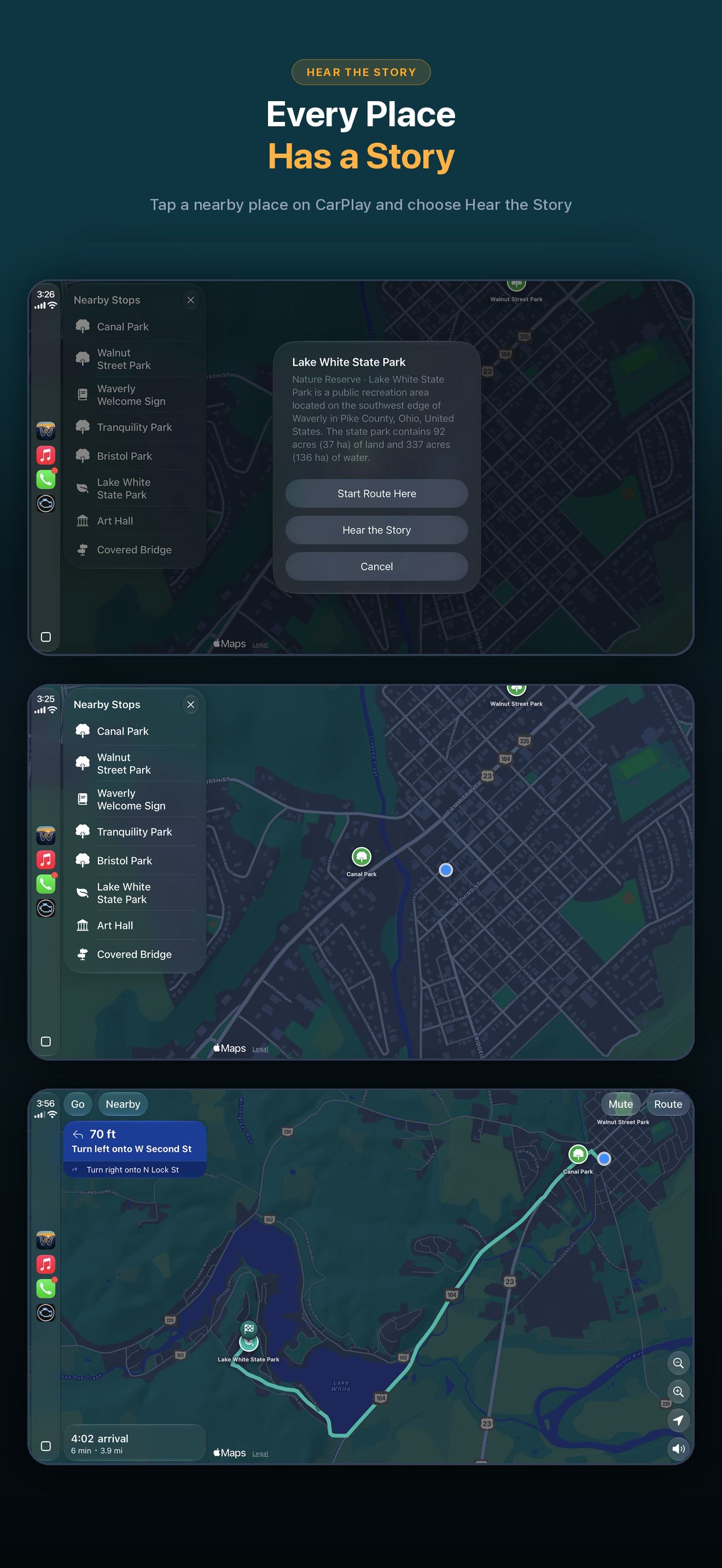
Choosing a nearby place and hearing its story on CarPlay
CarPlay: every place has a story
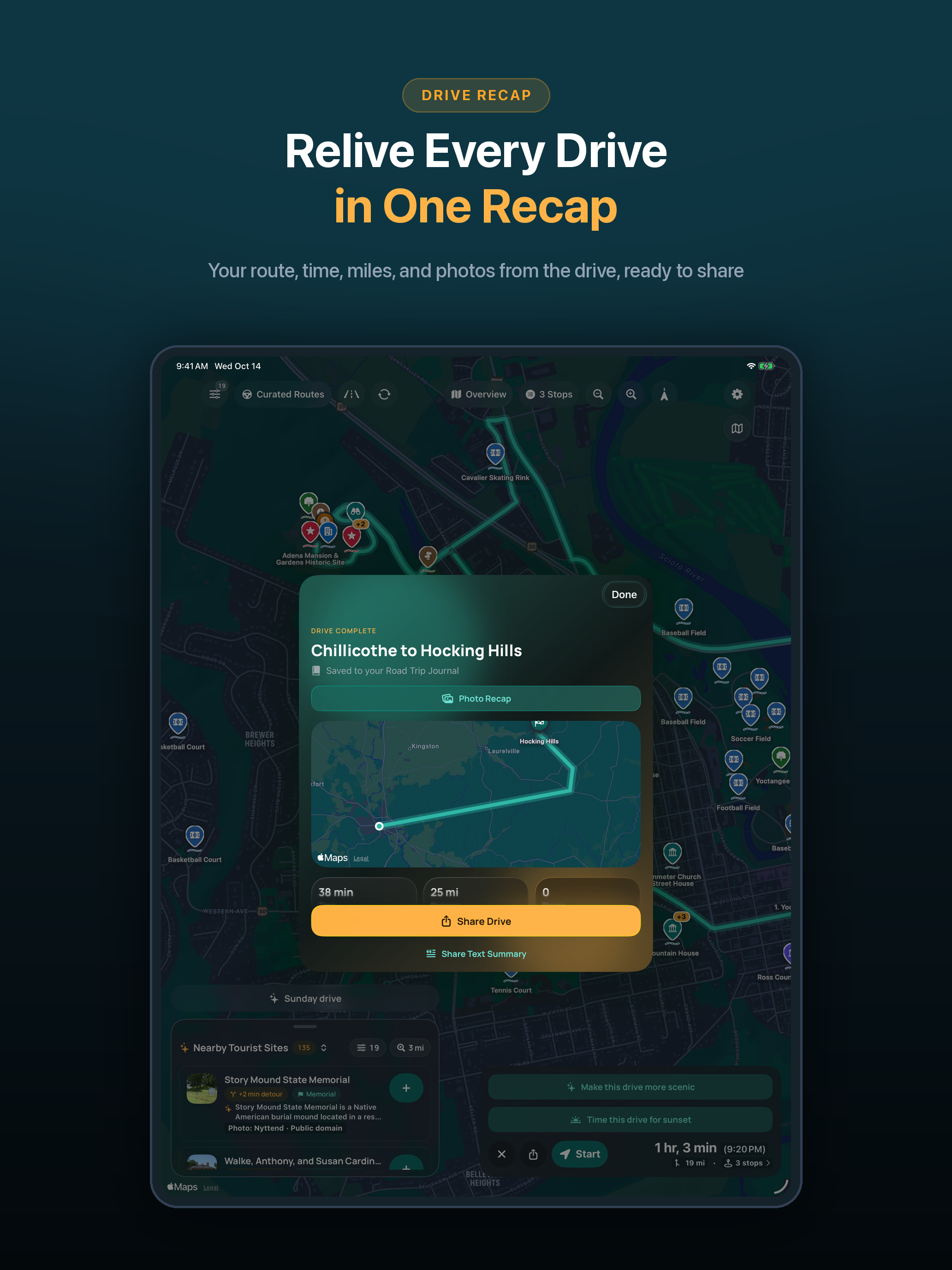
Photo Recap of a drive on iPad
iPad: Photo Recap
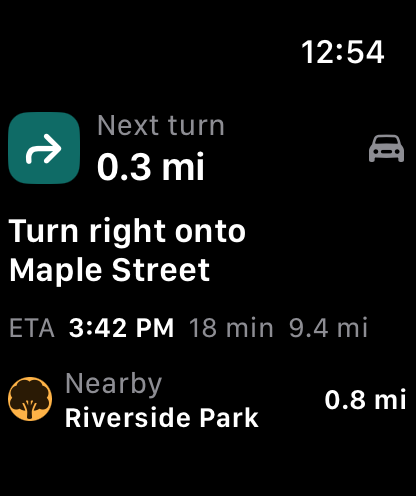
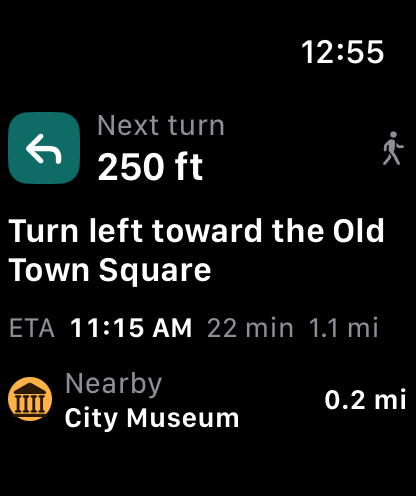
Next turn on Apple Watch while driving
Apple Watch: next turn
Next turn on Apple Watch on a walking tour
Apple Watch: walking tours
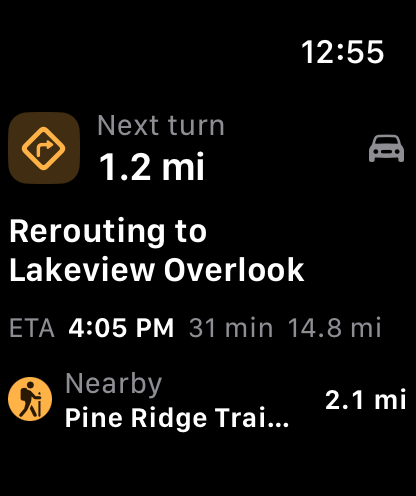
Apple Watch showing WanderWay rerouting
Apple Watch: rerouting

CarPlay screenshot, landscape (2853 × 2007 PNG) ↓

Video

App previews

The WanderWay 2.2 App Store preview videos, about 30 seconds each.

Plan a drive and add a stop (iPhone) · MP4, 19 MB ↓
Drive and hear stories (iPhone) · MP4, 15 MB ↓
CarPlay, with voice-over · MP4, 14 MB ↓

Boilerplate

About WanderWay

Short (65 words)

WanderWay is a road trip app for iPhone, iPad, CarPlay and Apple Watch, built by solo developer Derek Boyer in Ohio. It finds parks, historic sites, covered bridges, waterfalls and more along your route, then guides you there with Apple Maps. Version 2.6 adds Kids Mode, Family Drives and natural English voices. 2,000+ first-time downloads, as of November 2026. Free to try, then one purchase.

Long (197 words)

WanderWay is a navigation app for road trips, everyday drives and walks, on iPhone, iPad, CarPlay and Apple Watch. Put in where you are going and it finds parks, historic sites, covered bridges, waterfalls, overlooks and more along your route, then works the stops you pick into turn by turn directions using Apple Maps. Story Mode tells you about places as you approach them. Version 2.6, the current App Store release, adds Kids Mode, which shows places kids love like playgrounds, splash pads and ice cream, Family Drives with kid stops and a restroom break on longer drives, natural English voices made on the iPhone, and Download an Area for places without signal. Version 2.5 added the Faster or Prettier slider, Drive Together for up to 6 cars, Just Listen, and Just Wander walks. WanderWay has 2,000+ first-time downloads, as of November 2026. It is free to try, then a one-time purchase, with no subscription, no ads and no account. It is available in eleven languages, including Hindi. Derek Boyer, a solo developer in Ohio, built it after his wife Jordan kept saying there should be an app that shows you the good stuff along your route.

Press FAQ

Quick answers

What does it cost?
WanderWay is a free download, and every feature is free to try. The trial does not renew and never charges you. After that, it is a one-time purchase, and the App Store listing shows the price. There is no subscription and no ads. Nearby places within 5 miles, place details, destination search and route previews stay free.
What about privacy?
There is no account, no ads, and no tracking across other companies’ apps and websites. The US App Store privacy label lists only what Send Feedback sends (Email Address, Customer Support, Other Diagnostic Data, Precise Location and Coarse Location) as “Data Linked to You,” and Other User Content as “Data Not Linked to You,” all for App Functionality, and Customer Support also for Analytics (reading feedback to improve the app). Location history and routes are not stored on a server, and the journal and Photo Recap photos stay on your device.
Which devices and cars does it work with?
iPhone with iOS 26 or later, any car with CarPlay (including CarPlay Dashboard and supported instrument clusters), iPad, and Apple Watch for your next turn. Maps and directions come from Apple Maps.
Which languages?
English, French, German, Hindi, Spanish, Italian, Portuguese, Dutch, Polish, Swedish and Ukrainian.
How is it different from a regular maps app?
It looks for interesting places along the way, not just the fastest route, and shows how many minutes each stop adds before you add it. It can tell you a short story about a place as you approach, and it comes from a solo developer and has no subscription. Most new features come from user requests.

Version history

Timeline

2.6
November 9, 2026. Kids Mode, Family Drives with kid stops and a restroom break on longer drives, restroom stops on long drives, Different Loop, natural English voices on iPhones with 6 GB of memory or more, Download an Area, routing right to the place, a mute button on the map, and time and distance in CarPlay trip previews.
2.5.1
November 6, 2026. Maintenance: turn-by-turn guidance at roundabouts advances to the next step. Very scenic and Most scenic now take backroads instead of highways, and place sights along that drive.
2.5
November 4, 2026. Faster or Prettier, a slider for more scenic routes (Scenic is free; Very scenic and Most scenic are part of WanderWay Unlock), Drive Together for friends in other cars, Just Listen with no destination, also from the CarPlay map, Just Wander and better walking tours, Stories Offline, and a smoother map with solid byway lines.
2.4
November 3, 2026. Drives in CarPlay, Ask Siri for a Drive, Restrooms on iPhone and CarPlay, main roads home after dark, and a Live Activity for the Apple Watch Smart Stack and CarPlay Dashboard.
2.3
October 30, 2026. Narration in the background, Open in Apple Maps, Google Maps or Waze, and a shareable Photo Recap.
2.2
October 27, 2026. Walking Tours, Sunset Drives, Photo Recap, seven new kinds of places, next turn on Apple Watch, and Portuguese, Dutch, Polish, Swedish and Ukrainian.
2.1.1
October 15, 2026. Add a Stop without ending your drive, My Places with Siri, Italian, and made for iPad.
2.0
October 10, 2026. Story Mode, Narrate Without a Route, Scenic Detours, the Road Trip Journal and Passport, and a new look.
1.9
October 5, 2026. Free to download with a free trial and an in-app unlock. National Park pages, scenic byways and EV charger details.
1.7.1
September 29, 2026. Full offline route downloads, opening hours alerts and trip souvenir exports.
1.6
September 20, 2026. German, Spanish and French, plus more Curated Drive options.
1.5
September 16, 2026

Dates from the App Store version history. Earlier versions are not listed.

Quote

From Derek Boyer

“I didn’t want another subscription in anyone’s life. Most of the ideas come from people who use it. Someone asks for something, and if it makes sense for the app, I add it.”

Derek Boyer, developer of WanderWay. Need a founder photo or an interview? Email [email protected].

Logo pack

App icon and wordmark

Wordmark for light backgrounds

Wordmark for light backgrounds

2400 × 600 PNG, dark text.

Download ↓
Wordmark for dark backgrounds

Wordmark for dark backgrounds

2400 × 600 PNG, white text.

Download ↓

Please don’t recolor, stretch or redraw the icon or wordmark.